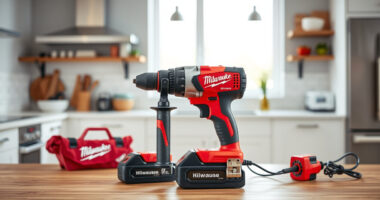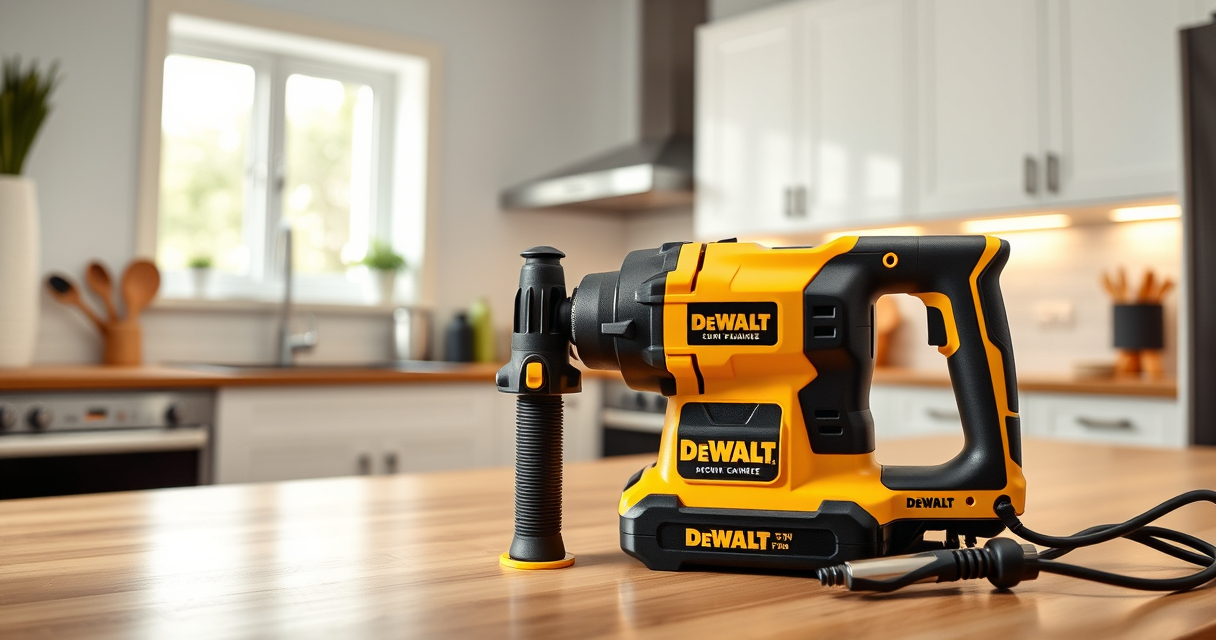

Getting started with your new DEWALT power tools can seem daunting, but with the right approach, you can set them up safely and efficiently. Whether you’re a DIY enthusiast or a professional, understanding the proper setup process ensures safe operation and extends the lifespan of your tools. This guide walks you through the essential steps to prepare your DEWALT cordless drill and accessories for your next project.

Get business pricing on garage and car supplies
- Business-only prices and quantity discounts
- Tax-exempt purchasing
- Multiple users, one account, clear invoices
We’ll cover necessary safety precautions, assembly instructions, and tips to keep your workspace safe and your tools functioning at peak performance. Let’s begin with what you’ll need to get started.
Key Takeaways
| Safety First | Always wear protective equipment and follow safety guidelines. |
| Proper Charging | Ensure batteries are fully charged before use to maximize runtime. |
| Secure Assembly | Tighten all parts firmly to prevent accidents during operation. |
| Test Run | Perform a quick test to verify correct setup and operation. |
| Maintenance Tips | Regularly clean and inspect your tools for longevity. |
Gather Your Tools and Accessories
Before starting the setup process, gather all necessary items. For the DEWALT 20V MAX Cordless Drill Driver Set, you’ll need the drill, the included 2.0 Ah battery and charger, and any additional accessories like drill bits or screwdrivers. It’s also helpful to have safety equipment such as safety glasses and gloves.
Having everything ready ensures a smooth setup process and prevents interruptions once you start working.
Insert and Charge the Battery
- Remove the battery from its packaging and inspect it for any damage.
- Align the battery with the compartment on the base of the drill, ensuring the contacts match.
- Press firmly until it clicks into place.
- Connect the included charger to a power outlet and insert the battery. Allow it to charge fully—indicated by the LED on the charger—before first use.
A fully charged battery maximizes your tool’s run time and efficiency, especially important for demanding jobs.
Assemble Your Drill and Attach Accessories
- Check that the drill is switched off before assembly.
- Attach your chosen drill bit or screwdriver bit to the single-sleeve ratcheting chuck, aligning the shank with the chuck opening.
- Turn the chuck clockwise to tighten, ensuring the bit is secure and doesn’t wobble.
- Adjust the drill’s speed settings as needed for your task—use the 2-speed transmission for different applications.
Proper attachment and secure fitting prevent accidents and ensure precise operation.
Perform a Safety Check and Test Run
- Wear safety glasses and gloves to protect yourself during testing.
- Set the drill to the lowest speed and briefly run it to check for smooth operation.
- Test the LED light to ensure visibility in dim areas—press the trigger and verify the light activates.
- Make sure the drill stops promptly when releasing the trigger.
This quick check confirms your setup is correct and safe before starting your project.
Maintenance and Storage Tips
After use, clean any dust or debris from the drill and accessories with a dry cloth. Store the drill, batteries, and accessories in a dry, secure place. Regularly inspect the battery contacts and replace damaged parts promptly. Proper maintenance prolongs the life of your DEWALT tools and ensures they operate safely for years to come.
The Products in This Guide

DEWALT 20V MAX Cordless Drill Driver Set
- ✔ Included Batteries: 2 x 20V MAX 2.0 Ah
- ✔ Charging Time: Approximately 60 minutes
- ✔ Weight: 3.4 lbs

DEWALT Drill Bit Set
- ✔ Case Included: Yes
- ✔ Bit Sizes: Various
- ✔ Coating: Black and gold
DEWALT 20V MAX Cordless Drill Driver Set
The DEWALT 20V MAX Cordless Drill Driver Set offers a powerful brushless motor, ergonomic design, and reliable battery life, making it ideal for a wide range of tasks. Its compact size allows for working in tight spaces, while the LED light enhances visibility. This set is a dependable choice for both beginners and experienced users.
Pros:
- Brushless motor for increased efficiency and run time
- Compact and lightweight design
- LED light for illumination in dark areas
- Includes 2.0 Ah battery and charger
Cons:
- Limited to 1/2 inch chuck size
- Battery charging time can be longer under heavy use
Best for: Home improvement, furniture assembly, light construction work
Not ideal for: Heavy-duty industrial tasks requiring more power or larger drills
Bottom line: A compact, versatile drill set perfect for a variety of household projects.
DEWALT Drill Bit Set
This DEWALT Drill Bit Set features 14 heavy-duty bits with a 135-degree split point, suitable for plastic, wood, and metal. The high-speed steel construction and tapered web design ensure durability and resistance to breakage, making it a valuable addition to your toolkit.
Pros:
- Durable high-speed steel bits
- Includes a variety of sizes
- Split point design reduces walking
- Corrosion-resistant coating
Cons:
- Bits may be overkill for very light tasks
- Some users find the case bulky
Best for: General-purpose drilling in multiple materials
Not ideal for: Heavy industrial drilling or large-scale projects
Bottom line: A versatile set that enhances your drilling capabilities across materials.
Frequently Asked Questions
How do I ensure my drill is safely assembled?
Always make sure the battery is properly inserted, the chuck is tightened securely, and you perform a test run before starting your project.
How long does it take to fully charge the battery?
The included charger typically takes about 60 minutes to fully charge the 2.0 Ah battery, providing enough runtime for most tasks.
Can I use other batteries with this drill?
This drill is compatible with DEWALT 20V MAX batteries, including the 5.0 Ah models, but always verify compatibility before use.
What safety precautions should I follow?
Always wear safety glasses, keep your work area clean, and avoid loose clothing or jewelry while operating the drill.
How do I maintain my DEWALT drill for longevity?
Regularly clean the tool, inspect the cord and battery contacts, and store it in a dry place. Avoid exposing it to extreme moisture or heat.
Power Up Your Projects with Confidence
Setting up your DEWALT power tools correctly is essential for safe and efficient operation. By following these straightforward steps, you ensure your tools are ready to tackle any task. Remember to prioritize safety, keep your equipment well-maintained, and choose the right accessories for your needs. With proper setup, your DEWALT drill will serve you reliably for years to come, helping you achieve professional results in every project.
Affiliate disclosure: As an Amazon Associate we earn from qualifying purchases. Prices and availability are accurate as of the time of publishing.