
Upgrading your head unit can cause compatibility issues because new devices may not sync well with your car’s existing Bluetooth, wiring, or software. Differences in Bluetooth versions or profiles can lead to connection drops, while outdated firmware might block new features. Hardware mismatches can make installation tricky, and incompatible digital sound processing can affect audio quality. To avoid surprises, it’s important to understand these factors, and you’ll find useful insights if you keep exploring.

Get business pricing on garage and car supplies
- Business-only prices and quantity discounts
- Tax-exempt purchasing
- Multiple users, one account, clear invoices
Key Takeaways
- Different Bluetooth versions or profiles between the head unit and devices can cause pairing failures or connection drops.
- Incompatibility with existing speakers, amplifiers, or wiring may prevent advanced DSP features from functioning correctly.
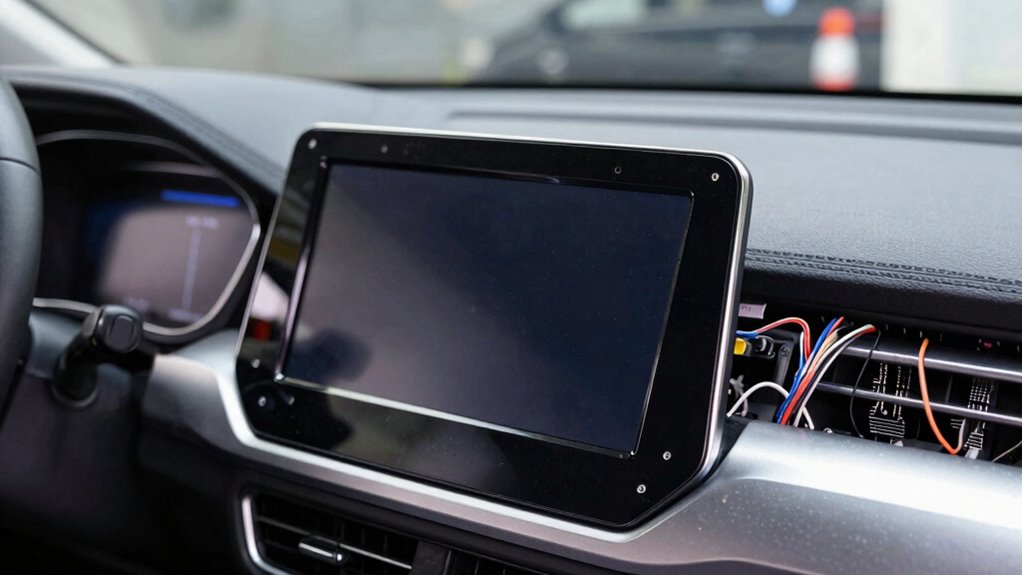
- New head units might not fit or connect properly with the vehicle’s existing audio system or mounting points.
- Outdated firmware or software on the head unit can lead to feature malfunctions or limited compatibility with phone OS updates.
- Lack of awareness about vehicle and head unit specifications can result in overlooked compatibility issues during installation.
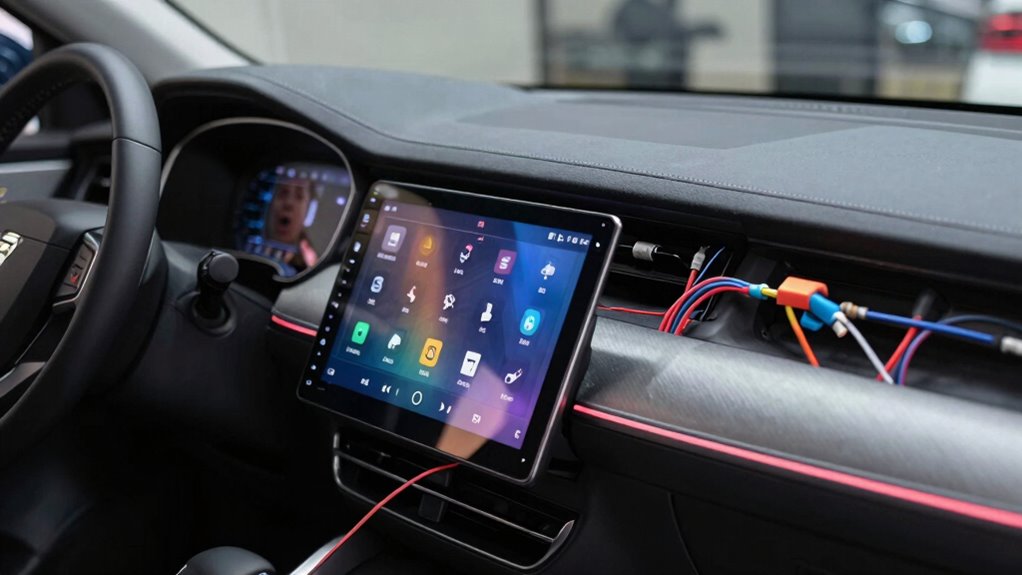
Upgrading your car’s head unit can substantially enhance your driving experience, but it’s important to understand compatibility issues that might arise. When you choose a new head unit, you expect better sound quality, modern features, and seamless connectivity. However, these upgrades can sometimes introduce unexpected problems, especially with Bluetooth connectivity and digital sound processing. Not all head units are compatible with your vehicle’s existing systems, which can lead to frustrating issues that undermine the upgrade’s benefits.
One common problem involves Bluetooth connectivity. Even if your new head unit supports Bluetooth, it might not sync properly with your phone or other devices. This can be due to incompatible Bluetooth versions or profiles. Some head units operate on newer Bluetooth standards that your vehicle’s factory system or your phone might not fully support, leading to connection drops or pairing failures. Additionally, if your vehicle has an existing Bluetooth system designed for hands-free calling or media streaming, upgrading to a new head unit might cause conflicts. These issues often require troubleshooting or firmware updates to resolve, but they can be a hassle if you’re not prepared.
Bluetooth connection issues can occur due to incompatible versions or existing vehicle systems.
Digital sound processing is another area where compatibility issues can surface. Many modern head units feature advanced digital sound processing (DSP) capabilities that customize audio output for an ideal listening experience. However, if your vehicle’s speakers, amplifiers, or existing audio wiring aren’t compatible with these digital features, you might notice distorted sound, lack of bass, or uneven audio distribution. Some head units might need specific wiring harnesses or adapters to fully utilize their DSP functions, and skipping these connections can limit sound quality or cause audio to cut out.
Compatibility issues aren’t always limited to hardware; software and firmware can also be culprits. If your head unit’s firmware isn’t up-to-date, it might not work smoothly with your phone’s latest operating system or Bluetooth profiles. Manufacturers often release updates to fix bugs or improve compatibility, so neglecting to update your head unit can lead to ongoing issues. Sometimes, even after installing a compatible head unit, you might find that certain features like voice commands or app integrations don’t work as expected, due to software mismatches.
Being aware of potential compatibility challenges can help you select the right equipment and avoid costly upgrades or returns. Consulting your vehicle’s manual and the head unit’s specifications can prevent many problems, ensuring your upgrade delivers the enhanced sound quality and connectivity you’re after without unexpected hiccups.
As an affiliate, we earn on qualifying purchases.
Frequently Asked Questions
Can I Install a Head Unit Without Professional Help?
Yes, you can do a DIY installation of a head unit, but you should start with thorough compatibility checks first. Make sure your new stereo fits your vehicle’s make and model and that you have the right tools. Follow detailed instructions or tutorials closely to avoid damaging components. If you’re unsure, consulting a professional can save you time and prevent potential issues, but confident DIYers often successfully upgrade head units on their own.
Do All Vehicles Support Modern Head Unit Features?
Think of your vehicle as a unique garden; not all plants thrive in the same soil. Not all vehicles support modern head unit features like Bluetooth connectivity and touchscreen interfaces. Some older models lack the necessary wiring or hardware. Before upgrading, you need to check if your vehicle’s system is compatible. Otherwise, you might find yourself with a head unit that doesn’t connect or function as expected, much like planting a flower in the wrong climate.
How Do I Know if My Car’s Wiring Is Compatible?
You can determine if your car’s wiring is compatible by checking the wiring harnesses and compatibility adapters. Inspect your vehicle’s existing wiring for connectors matching the new head unit’s harness. If they don’t match, compatibility adapters can help bridge the gap. Refer to your vehicle’s manual or consult a professional to verify the wiring harnesses and adapters are compatible, preventing potential electrical issues during installation.
Are There Aftermarket Adapters for Non-Standard Connectors?
Yes, there are aftermarket adapters available for non-standard connectors, making it easier for you to upgrade your head unit. These adapters bridge the gap between your vehicle’s original wiring and the new head unit’s connectors. You can find them online or at car audio stores. Just make certain to choose the right adapter specific to your car’s make and model to guarantee a seamless fit and proper functionality.
Will Upgrading My Head Unit Affect My Vehicle’s Warranty?
You might worry that upgrading your head unit could void your warranty, but it often depends on installation challenges and the manufacturer’s policies. If you use genuine parts and professional installation, your warranty may stay intact. However, if the upgrade causes damage or isn’t properly installed, warranty implications could arise. It’s wise to check your vehicle’s warranty terms and consult experts to avoid unexpected issues down the line.
Conclusion
So, next time you’re upgrading your head unit, remember that even a small change can unexpectedly shake things up. It’s funny how, just when you think everything will fit perfectly, compatibility issues pop up like a surprise guest at a party. But hey, isn’t it kind of a coincidence? Sometimes, the challenges lead you to learn more about your car’s tech quirks—and in the end, you’ll appreciate the upgrade even more when everything finally clicks into place.
Halloween Picks
halloween
As an affiliate, we earn on qualifying purchases.