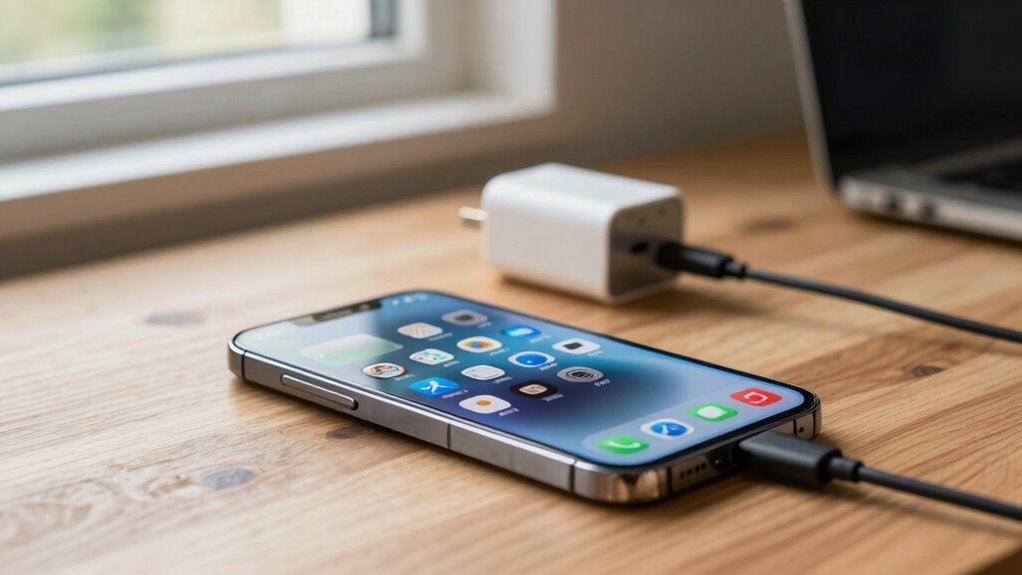

Balancing battery health and performance starts with smart charging habits. Stick to moderate speeds—avoid constantly fast charging—to reduce heat and slow capacity loss. Keep your battery between 20% and 80% instead of full charges, and avoid leaving it at 100% for long periods. Charging in cool environments also helps prevent heat damage. By adopting these practices, you can prolong your battery’s lifespan without sacrificing performance. Keep exploring to discover more tips for excellent device care.

Get business pricing on garage and car supplies
- Business-only prices and quantity discounts
- Tax-exempt purchasing
- Multiple users, one account, clear invoices
Key Takeaways
- Limiting fast charging reduces heat and battery stress, preserving long-term battery health.
- Keeping charge levels between 20% and 80% minimizes capacity degradation over time.
- Avoiding full discharges and 100% charges helps extend overall battery lifespan.
- Charging in cool environments prevents heat-induced internal damage and capacity loss.
- Using standard charging speeds and moderate temperatures balances device performance and battery longevity.
When it comes to managing your device’s battery, understanding the balance between battery health and performance is vital. Your charging habits play an essential role in determining not just how long your battery lasts each day but also its overall lifespan. Striking the right balance involves being mindful of how often and how quickly you charge your device, as both factors impact battery longevity and performance over time.
One of the most important aspects is controlling your charging speed. Fast charging can be incredibly convenient, especially when you’re in a hurry. However, consistently relying on rapid charging can generate excess heat and stress the battery, which may accelerate capacity loss. Over time, this can lead to reduced battery longevity, meaning your device won’t hold a charge as long as it used to. To protect your battery, it’s best to use fast charging sparingly and opt for standard charging speeds whenever possible. This approach helps keep the battery cooler and less stressed, preserving its health in the long run.
In addition, paying attention to how often you plug in your device is key. Continuously charging from 0% to 100% isn’t ideal; it puts unnecessary strain on the battery, especially if you do this frequently. Instead, keeping your battery between 20% and 80% can greatly extend its lifespan. This habit minimizes the stress associated with full charges and discharges, helping maintain ideal battery health over months and years. Also, avoid leaving your device plugged in at 100% for extended periods, as this can cause the battery to sit at a high voltage state, which might degrade its capacity gradually. Understanding battery cycle counts helps you recognize how each full charge impacts overall longevity.
Temperature is another factor you shouldn’t overlook. Charging your device in hot environments or allowing it to heat up during rapid charging can damage the battery’s internal components. Keeping your device in a cool, ventilated area while charging is a simple yet effective way to safeguard its health. Remember, the goal is to maximize both the immediate performance of your device and its long-term battery health. By managing charging speed and avoiding extreme conditions, you help guarantee your battery remains healthy and performs well over time.
Ultimately, your charging habits directly influence how long your battery can sustain performance and how quickly it deteriorates. Being mindful of charging speed, avoiding frequent full charges, and controlling temperature exposure can help you strike that ideal balance, giving you better battery longevity without sacrificing daily convenience.
Products Worth Considering

Milwaukee M18 FUEL 18V Lithium-Ion Brushless Cordless 1 in. Impact Wrench Extended Reach D-Handle Kit with Two 12.0 Ah Batteries

NOCO GENIUS2X4 6V/12V Four-Bank Battery Charger and Maintainer

NOCO Boost GBX45 1250A UltraSafe Jump Starter, 12V Lithium Battery Booster
As an affiliate, we earn on qualifying purchases.
Frequently Asked Questions
How Do Temperature Fluctuations Impact Battery Longevity?
Temperature fluctuations cause thermal stress, which can damage your battery and reduce its longevity. When you expose your device to extreme heat or cold, it accelerates chemical reactions inside, degrading the battery faster. Proper temperature management is essential; avoid leaving your device in hot cars or cold environments. Keeping your device within a moderate temperature range helps maintain battery health and guarantees it performs at its best over time.
Does Fast Charging Damage Battery Health Over Time?
Like a storm rushing through a calm sky, fast charging can accelerate your battery aging if used excessively. It may seem convenient now, but over time, it strains your battery’s core, risking long-term health. While occasional quick charges are manageable, frequent fast charging pushes your battery’s limits, leading to faster wear. Balance your charging habits to preserve your battery’s resilience, ensuring it stays strong and reliable for the journey ahead.
Can Software Updates Improve Battery Performance?
Yes, software updates can enhance your battery performance. They often include software optimization and firmware enhancements that make your device handle power more efficiently. By installing these updates, you can reduce unnecessary background activity, optimize charging algorithms, and extend battery life. Regular updates ensure your device benefits from the latest improvements, helping you get better performance and longer-lasting battery life without needing to change your charging habits drastically.
What Are the Signs of Battery Degradation?
You’ll notice signs of battery degradation when your device’s battery lifespan shortens, and it doesn’t hold a charge like it used to. You might see faster battery drain, longer charging times, or your device shutting down unexpectedly. Excessive charging cycles also contribute to this decline. If your battery percentage drops quickly or your device heats up during charging, these are clear indicators that your battery health is deteriorating.
How Often Should I Calibrate My Device’s Battery?
You might wonder when to calibrate your battery next—it’s essential. Usually, after about 3 to 4 charging cycles, perform a battery calibration. This process guarantees accurate readings and peak performance. Keep an eye out for sudden power drops or misreported battery levels. Regular calibration resets the battery’s internal gauge, revealing its true capacity. Don’t wait until your device shuts down unexpectedly—calibrate proactively to keep everything running smoothly.
Conclusion
Ultimately, mastering mindful charging habits maximizes your battery’s brilliance. By avoiding overcharging, sticking to smart schedules, and steering clear of extreme temperatures, you safeguard your smartphone’s strength and stamina. Remember, consistent care creates a healthier, happier battery. So, stay savvy with your charging routines, and see your device’s performance persist and prosper. Keep these tips in mind, and maintain mighty, long-lasting battery life with minimal fuss and maximum function.