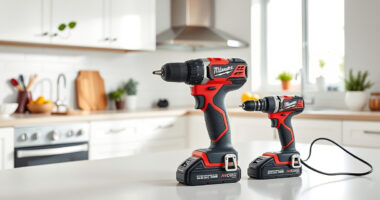
If your Milwaukee power tool charger is blinking red, it indicates a problem that needs troubleshooting. While it can be frustrating, many issues are fixable without professional help. This guide provides clear, safe steps to identify and resolve common charging problems, allowing your Milwaukee tools to stay ready for your next project.

Get business pricing on garage and car supplies
- Business-only prices and quantity discounts
- Tax-exempt purchasing
- Multiple users, one account, clear invoices
Before proceeding, ensure you have the appropriate safety gear, like gloves and eye protection, and that your workspace is dry and well-ventilated. Always follow safety instructions provided by Milwaukee to prevent damage or injury.
Key Takeaways
| Identify blinking patterns | A blinking red light typically indicates a fault or error during charging. |
| Check battery compatibility | Use original Milwaukee batteries and chargers to avoid compatibility issues. |
| Inspect for damage | Physical damage or dirt on contacts can cause charging errors. |
| Reset and troubleshoot | Reset the charger and test with a different battery if possible. |
Understand the Red Blinking Indicator
The first step is to recognize what the blinking red light signifies. Milwaukee chargers use different blinking patterns to indicate specific issues, such as battery faults, temperature problems, or charger faults. Refer to your charger’s manual for exact meanings, but generally, a slow blinking red indicates a charging fault, while rapid blinking may signify a critical error. Knowing this helps you target the right troubleshooting step.
Ensure Proper Battery and Charger Compatibility
- Verify that your battery is an original Milwaukee M18 series compatible with your charger. Using third-party or incompatible batteries can cause blinking errors.
- Check that the charger model matches your battery type, especially if you have multiple Milwaukee chargers or batteries.
- Inspect the battery’s contacts for dirt, corrosion, or damage. Clean gently with a dry cloth if needed.
Perform Basic Reset and Inspection
- Unplug the charger from the power outlet and remove the battery.
- Inspect the charger and battery contacts for dirt, debris, or damage. Clean with a soft, dry cloth.
- Allow the charger and battery to cool if they feel hot, as overheating can cause blinking errors.
- Reconnect the battery and plug the charger back in. Observe the blinking pattern.
Test with a Different Battery and Check Temperature
If possible, test the charger with another fully charged Milwaukee-compatible battery. If the blinking persists, the issue may be with the charger itself.
Also, ensure that the battery and charger are used within the recommended temperature range (typically 0°C to 45°C). Charging outside this range can trigger blinking red lights due to safety protocols.
Identify and Address Common Faults
If your charger continues to blink red, consider the following:
- Battery Fault: The battery might be damaged or faulty. Try charging a different known-good battery.
- Overheating: Allow the charger and battery to cool down before reattempting.
- Charger Fault: If the charger is old or shows signs of damage, it may need replacement or professional repair.
When to Seek Professional Help or Consider Replacement
If all troubleshooting steps fail, your charger might be defective. Contact Milwaukee customer support or an authorized service center for diagnostics. Sometimes, replacing the charger is a more cost-effective solution than repairing an old unit. Keep in mind that continuous blinking indicates a fault that could compromise safety or performance if ignored.
The Products in This Guide

Milwaukee M18 18V Cordless Power Tool Combo Kit
- ✔ Voltage: 18V
- ✔ Number of Tools: 8
- ✔ Battery Capacity: Up to 5.0 Ah

Milwaukee Shockwave 100pcs Impact Driver Bit Set Packout
- ✔ Number of Pieces: 100
- ✔ Material: Impact steel
- ✔ Case: Packout
Milwaukee M18 18V Cordless Power Tool Combo Kit
The Milwaukee M18 18V Cordless Power Tool Combo Kit is a comprehensive set perfect for construction, remodeling, and maintenance tasks. Featuring 8 essential tools, 3 batteries, and a fast charger, it offers versatility and extended runtime. Troubleshooting your charger with these steps can keep your toolkit operational without hassle.
Pros:
- Includes 8 versatile tools
- 3 high-capacity batteries
- Rapid charger reduces downtime
- Organized storage with tool bags
Cons:
- Initial cost might be high
- Heavy for prolonged use
- Battery management requires attention
Best for: Professionals needing a complete cordless toolkit for demanding jobs
Not ideal for: Casual DIYers with minimal tool needs
Bottom line: A versatile, comprehensive kit suited for professional use, with troubleshooting tips to keep your tools working smoothly.
Milwaukee Shockwave 100pcs Impact Driver Bit Set Packout
The Milwaukee Shockwave Impact Driver Bit Set offers 100 pieces housed in a Packout case, making it an essential accessory to complement your power tools. If your charger or batteries need replacement or upgrade, having a reliable impact driver bit set ensures your tasks are completed swiftly and securely.
Pros:
- Durable impact bits
- Organized Packout case
- Versatile for many applications
- High-quality Milwaukee construction
Cons:
- Additional cost
- Bit sizes limited to impact driver compatibility
- Storage case size
Best for: Professionals and serious DIYers seeking durable impact driver bits
Not ideal for: Casual users needing only basic bits
Bottom line: A durable, organized impact driver bit set that boosts efficiency and complements your Milwaukee tools.
Frequently Asked Questions
Why is my Milwaukee charger blinking red and not charging?
A blinking red light often indicates a fault such as battery temperature issues, incompatible batteries, dirt on contacts, or internal charger faults. Follow the troubleshooting steps outlined above to identify the cause.
Can I fix a faulty Milwaukee charger myself?
While some minor issues like dirt or overheating can be resolved at home, more serious faults may require professional repair or replacement. Always prioritize safety and contact Milwaukee support if unsure.
How do I reset my Milwaukee charger?
Unplug the charger from the power outlet, remove the battery, wait a few minutes, then reconnect everything. This can help clear minor faults and reset the device.
What should I do if my battery is not charging even after troubleshooting?
Test the charger with a different battery. If the issue persists, consider replacing the charger or battery. Always use original Milwaukee parts for compatibility and safety.
Are temperature issues common with Milwaukee chargers?
Yes, Milwaukee chargers have safety features that prevent charging outside designated temperature ranges. Ensure your environment is within recommended conditions for optimal charging.
Keep Your Milwaukee Tools Charging Efficiently
Dealing with a blinking red light on your Milwaukee charger can seem daunting, but most issues are straightforward to troubleshoot. By understanding indicator patterns, inspecting contacts, ensuring compatibility, and testing with different batteries, you can often resolve the problem yourself. Remember to always prioritize safety, and don’t hesitate to seek professional help if needed. Maintaining your charger and batteries ensures your power tools remain reliable and ready for any job.
Affiliate disclosure: As an Amazon Associate we earn from qualifying purchases. Prices and availability are accurate as of the time of publishing.