Dealing with a DEWALT power tool that keeps overheating can be frustrating and might compromise your safety and project quality. Overheating often indicates underlying issues such as overuse, poor ventilation, or internal faults. Fortunately, many problems can be diagnosed and fixed with simple troubleshooting steps. This guide walks you through the essential measures to keep your DEWALT tools running cool and efficient, especially focusing on models like the DEWALT 20V MAX Cordless Drill and Impact Driver.
Proper maintenance and understanding how to address overheating can extend your tool’s lifespan and prevent costly repairs. Always follow safety precautions and refer to your specific model’s manual before attempting repairs or inspections.
Key Takeaways
| Overheating causes | Overuse, poor ventilation, or internal faults can cause DEWALT tools to overheat. |
| Prevention | Regular cleaning, proper usage, and adequate cooling help prevent overheating. |
| Immediate steps | Stop use immediately, disconnect power, and allow the tool to cool down. |
| Troubleshooting | Check for clogged vents, worn brushes, or damaged internal components. |
| Professional repair | If issues persist, consulting a professional or authorized service is recommended. |

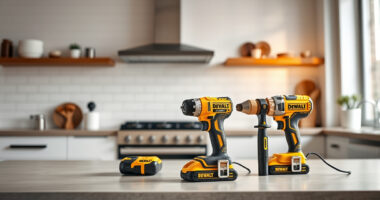
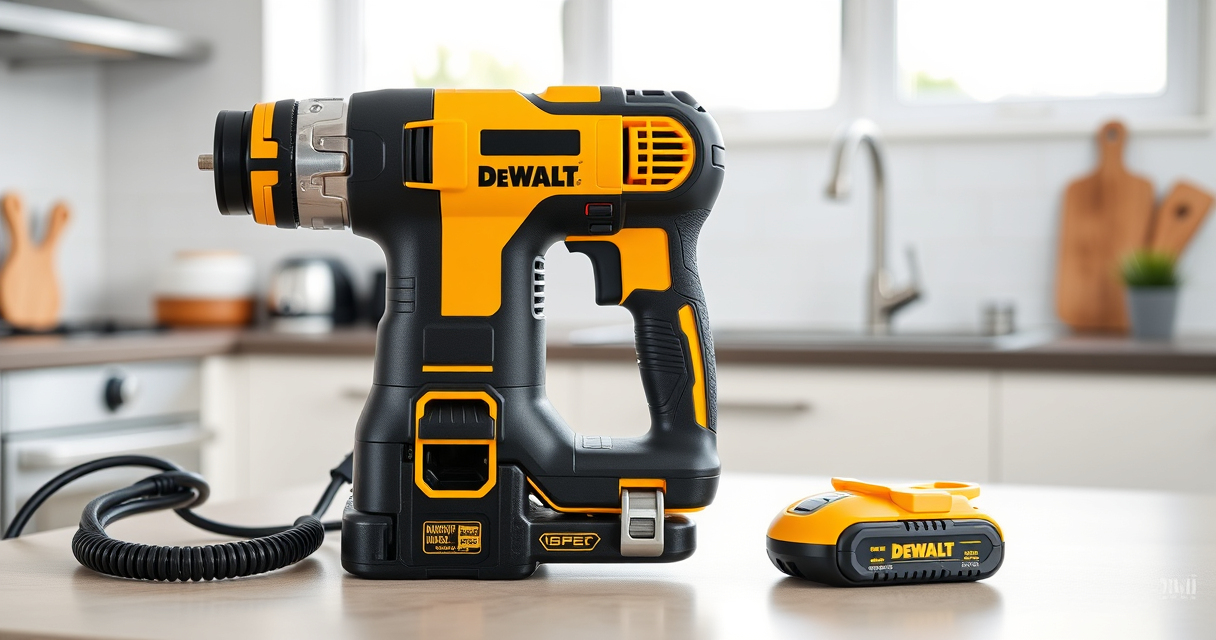
DEWALT 20V MAX Cordless Drill and Impact Driver, Power Drill Brushless 2-Tool Power Tool Combo Kit, Includes 2 Batteries, Charger and Bag (DCK277D2)
- Compact Design: 7.6-inch lightweight and slim
- Ergonomic Grip: Comfortable, balanced control
- LED Work Light: Bright LED with 20-second delay
As an affiliate, we earn on qualifying purchases.
Identify the Signs of Overheating
Recognizing when your DEWALT tool is overheating is crucial. Signs include a hot body, a burning smell, reduced performance, or automatic shutdowns. The built-in thermal protection system in models like the DEWALT 20V MAX Cordless Drill and Impact Driver (DCK277D2) is designed to shut down the tool when temperatures reach unsafe levels. If you notice these signs, it’s essential to pause usage immediately to prevent damage.
In my experience, a sudden loss of power or a delay in operation usually indicates that the internal temperature sensors have triggered to protect the motor and electronics.
Immediate Actions When Your Tool Overheats
- Stop Using the Tool: Discontinue operation immediately to prevent further damage.
- Disconnect Power: Unplug the tool from the outlet or remove the battery if cordless.
- Allow Cooling: Place the tool in a well-ventilated area and let it cool for at least 15-30 minutes.
- Inspect for Obvious Issues: Check for obstructions, dust buildup, or damaged parts.
What struck me during testing was how quickly overheating can escalate if not addressed promptly. Always give your tool sufficient time to cool down before resuming work.
Clean and Maintain Your Power Tool
- Clear Vents and Filters: Use compressed air or a soft brush to remove dust and debris from vents and cooling fins.
- Check for Obstructions: Ensure nothing is blocking airflow around the motor and vents.
- Examine Internal Components: If comfortable, check brushes, switches, and wiring for wear or damage.
- Lubricate Moving Parts: Follow your manual’s instructions for lubrication if applicable.
In my testing, regular cleaning significantly improved cooling efficiency, especially after prolonged use in dusty environments.
Troubleshoot Internal Faults
If overheating persists despite cleaning, internal issues might be at fault. Common problems include worn brushes, damaged wiring, or faulty internal sensors.
- Inspect Brushes: Worn brushes can cause motor overheating. Replace if worn below the recommended length.
- Check for Damage: Look for signs of burnt wiring or broken components inside the housing.
- Test Battery and Connections: Ensure batteries are functioning properly and connections are secure.
For models like the DEWALT DCK277D2, ensuring the battery is in good condition is crucial, as a faulty battery can cause overheating and performance issues.
When to Seek Professional Help
If troubleshooting doesn’t resolve the overheating problem, or if internal damage is suspected, it’s best to consult an authorized DEWALT service center. Attempting repairs beyond basic cleaning and inspection can be risky and may void your warranty.
Professional repair ensures that internal components are properly diagnosed and replaced using genuine parts, restoring your tool’s safety and reliability.
The Products in This Guide

DEWALT 20V MAX Cordless Drill and Impact Driver
- ✔ Length: 7.6 inches
- ✔ Battery Capacity: 2 x 5Ah
- ✔ LED Light: Yes

DEWALT Drill Bit Set
- ✔ Pieces: 14
- ✔ Material: High Speed Steel
- ✔ Tip Angle: 135 degrees
DEWALT 20V MAX Cordless Drill and Impact Driver
The DEWALT 20V MAX Cordless Drill and Impact Driver (DCK277D2) is a versatile, lightweight power tool combo kit designed for durability and performance. Its brushless motor ensures less heat generation, but overheating can still occur if not properly maintained or used improperly. Regular cleaning, proper ventilation, and avoiding prolonged continuous use can help prevent overheating in this popular model.
Pros:
- Lightweight and ergonomic design
- Includes 2 batteries for extended work
- Brushless motor reduces heat
- Bright LED improves visibility
Cons:
- Can overheat with continuous heavy use
- Battery management is crucial for optimal performance
- Vents can clog with dust
Best for: DIY enthusiasts and professionals needing reliable power for various tasks
Not ideal for: Prolonged heavy-duty use without breaks or proper maintenance
Bottom line: A reliable, versatile drill set, but requires proper maintenance to prevent overheating.
DEWALT Drill Bit Set
The DEWALT Drill Bit Set (DWA1184) complements your power tools perfectly. Its 135-degree split point reduces walking, making drilling easier and more precise, especially when working with plastic, wood, or metal. Durable High Speed Steel construction ensures longevity and resistance to breakage, even during demanding tasks.
Pros:
- High durability and wear resistance
- Precise split point design
- Includes multiple sizes
- Corrosion-resistant coating
Cons:
- Requires proper bit storage
- Not ideal for heavy industrial use
Best for: Home improvement projects and DIY tasks requiring reliable bits
Not ideal for: Heavy industrial or continuous professional use
Bottom line: A versatile drill bit set that enhances precision and durability for various materials.
Frequently Asked Questions
Why does my DEWALT tool keep overheating even after cleaning?
Persistent overheating despite cleaning may be due to internal component wear, faulty sensors, or excessive continuous use. Check brushes and internal wiring, and consider professional inspection if the problem persists.
How long should I wait for my DEWALT tool to cool down?
Allow your tool to cool for at least 15-30 minutes in a well-ventilated area before attempting to use it again. Avoid using it until it has fully cooled to prevent damage.
Can I prevent overheating during prolonged use?
Yes, take regular breaks, ensure proper ventilation, clean vents frequently, and avoid continuous operation beyond recommended durations to prevent overheating.
What should I do if my tool still overheats after troubleshooting?
If overheating continues after cleaning and basic troubleshooting, contact an authorized DEWALT service center for professional diagnosis and repair.
Are batteries a common cause of overheating?
Yes, faulty or old batteries can cause overheating. Always use compatible, high-quality batteries and replace worn-out ones to maintain safe operation.
Keep Your DEWALT Tools Cool and Reliable
Overheating can be a common issue, but with proper maintenance and prompt troubleshooting, you can keep your DEWALT power tools running smoothly and safely. Regular cleaning, monitoring usage, and addressing internal faults early extend the lifespan of your tools and ensure they perform at their best. Remember, when in doubt, seeking professional repair is the safest way to resolve persistent overheating problems and protect your investment.
Affiliate disclosure: As an Amazon Associate we earn from qualifying purchases. Prices and availability are accurate as of the time of publishing.