When you start analyzing scan tool data, first focus on trouble codes; they provide quick clues to what’s wrong. Then, check live sensor readings and compare them to known good values. Use visualization tools or graphs to spot abnormalities easily. Keep your approach simple by verifying connections and looking at parameters related to symptom areas. If you stick to these steps, you’ll feel more confident. Keep reading to uncover even more tips to simplify the process.
Key Takeaways
- Start by reviewing trouble codes first to focus your diagnosis and avoid unnecessary data analysis.
- Compare live sensor readings to manufacturer specifications to identify obvious abnormalities quickly.
- Use visualization tools like graphs to clearly see patterns and spot issues easily.
- Focus on sensors related to your vehicle’s symptoms or trouble codes for targeted troubleshooting.
- Keep a systematic approach, addressing one parameter or system at a time to prevent feeling overwhelmed.
Reading scan tool data can seem intimidating at first, but with the right approach, you can quickly diagnose vehicle issues and understand what the onboard computer is telling you. The key is to familiarize yourself with basic diagnostic techniques and approach each scan systematically. When you connect your scan tool, don’t jump straight into analyzing every data point. Instead, start by noting any trouble codes that come up. These codes are your first clues—they point to specific systems or components that might be causing problems. Troubleshooting tips suggest focusing on these codes first, as they narrow down your investigation and save you from feeling overwhelmed by the sheer volume of data.
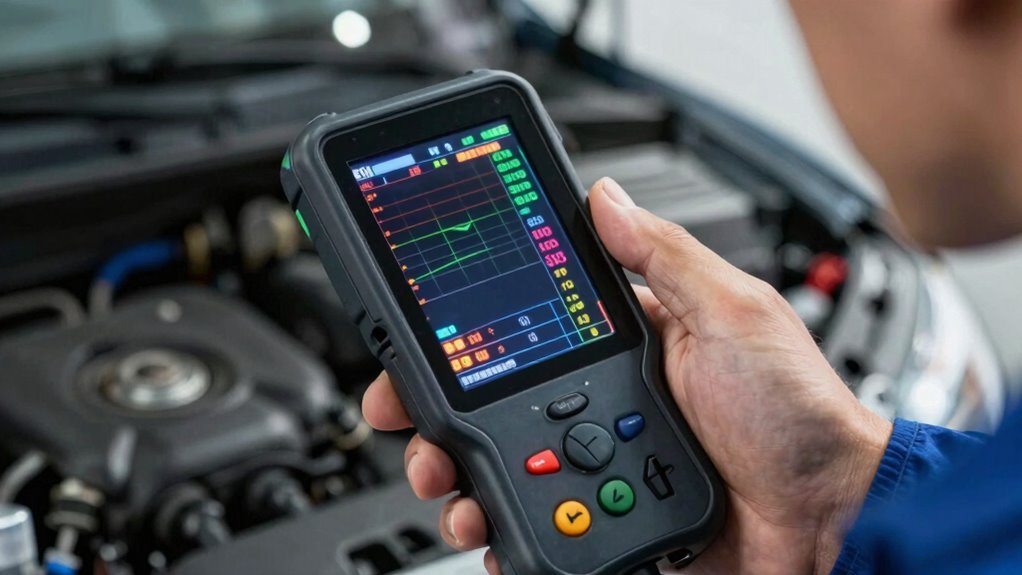
Once you see the trouble codes, look them up in your scan tool’s manual or online database. This step helps you understand what the codes mean in layman’s terms and guides your diagnostic technique. For example, a code related to the oxygen sensor can lead you to check that sensor’s wiring, connections, or function, rather than blindly replacing parts. As you dig into the data, pay attention to live sensor readings—like throttle position, coolant temperature, or mass airflow. These readings tell you how well each component is functioning during engine operation. If a reading is outside normal ranges, it indicates where the problem might be. Troubleshooting tips recommend comparing current data with manufacturer specifications to identify inconsistencies. Understanding scan tool data can help you interpret the information more effectively and make accurate diagnoses. Additionally, gaining familiarity with diagnostic procedures helps you develop a structured approach that prevents confusion. To improve your diagnostic accuracy, consider learning how to interpret sensor response patterns, which can reveal common issues across different vehicle models. Recognizing normal versus abnormal readings is essential for pinpointing problems quickly and efficiently. You don’t need to understand every parameter immediately. Instead, focus on those directly related to the trouble codes or symptoms you’re experiencing. Using features like graphing live data can help you visualize sensor responses more clearly, making abnormalities stand out. This visualization makes it clearer to see abnormalities that might be missed in raw numbers. Keep your diagnostic techniques simple: verify the codes, check related sensor readings, and compare them against known good values. This step-by-step process helps prevent information overload and keeps your troubleshooting focused.
OBD2 scan tool for vehicle diagnostics
As an affiliate, we earn on qualifying purchases.
As an affiliate, we earn on qualifying purchases.
Frequently Asked Questions
What Are the Most Common Scan Tool Error Codes?
The most common scan tool error codes often point to sensor malfunctions, like issues with oxygen sensors, mass airflow sensors, or the catalytic converter. To interpret these codes effectively, focus on understanding the error code interpretation, which helps identify the faulty sensor or system. When you see these codes, prioritize troubleshooting sensor malfunctions to resolve problems quickly and keep your vehicle running smoothly.
How Do I Reset the Check Engine Light?
Think of your vehicle’s check engine light as a lighthouse guiding you. To reset it, first verify the sensor calibration is correct, then use your scan tool to clear stored codes. Data interpretation is key—once the issues are addressed, resetting the light becomes a simple act, like extinguishing the lighthouse beam. Your scan tool makes this process straightforward, helping you restore clarity and keep your vehicle running smoothly.
Can I Use a Scan Tool on Any Vehicle?
Yes, you can use a scan tool on most vehicles, but it’s crucial to check vehicle compatibility first. Some scan tools are designed for specific makes or models, while others offer broader compatibility. Look for scan tool features like OBD-II support, which is standard on most vehicles made after 1996. Ensuring your scan tool matches your vehicle’s requirements helps you easily read and interpret the data without feeling overwhelmed.
What Do Specific Sensor Readings Indicate?
Think of sensor readings like clues in a mystery—each tells you something essential. For example, a high coolant temperature sensor reading indicates the engine is overheating, while a low oxygen sensor voltage suggests a lean fuel mixture. Understanding sensor functions helps you interpret diagnostic procedures effectively. When you recognize what specific data points mean, you can quickly identify issues, making troubleshooting less overwhelming and more like solving a puzzle.
How Often Should I Scan My Vehicle for Diagnostics?
You should scan your vehicle regularly, ideally every few months or before long trips, to stay on top of potential issues. Using diagnostic tools makes vehicle maintenance easier, helping you catch problems early. Frequent scans prevent costly repairs and keep your vehicle running smoothly. Make it a routine—checking with diagnostic tools guarantees you understand your vehicle’s health and avoid surprises, giving you peace of mind on the road.
Conclusion
Now that you’ve learned how to interpret scan tool data, you’re ready to dive deeper into your vehicle’s secrets. But remember, every reading holds a clue—are you prepared to uncover what’s truly going on beneath the surface? The more you explore, the more you’ll realize that each number could reveal a hidden story, waiting for you to decode. So, stay sharp—your next discovery could change everything. Are you ready to disclose the mystery?