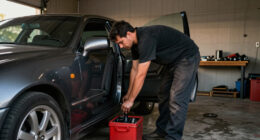

If your Milwaukee M18 charger is blinking red, it indicates an issue that could stop your work in its tracks. Understanding common causes and proper fixes can save you time and ensure your safety. This guide walks you through practical troubleshooting steps, safety tips, and what to do if the problem persists.

Get garage and car supplies delivered free — and shop member deals
- Fast, free delivery on millions of items
- Access to Prime Big Deal Days deals on October 6–7
- Prime Video, Amazon Music and more included
Whether you’re a professional or a DIY enthusiast, knowing how to address this blinking red light helps maintain your tools’ performance and longevity.
Key Takeaways
| Blinking Red Indicator | Signals a fault or issue with the charger or battery. |
| Check Battery Compatibility | Ensure batteries are compatible and properly seated. |
| Inspect for Damage | Look for physical damage or debris on contacts. |
| Allow for Cooling | Overheating can trigger the red blink; let components cool. |
| Reset and Test | Try resetting the charger or replacing batteries to test. |
Step 1: Safety First
Unplug the charger from power before inspecting. Wear safety gloves if necessary, especially if you notice damage or corrosion. This prevents electrical shock or injury during troubleshooting.
Step 2: Verify Battery Compatibility and Fit
- Remove the battery from the charger.
- Check if the battery model matches the charger specifications, especially if using third-party or extended capacity batteries.
- Reinsert the battery firmly into the charger, ensuring proper contact with the terminals.
Step 3: Inspect for Damage or Debris
- Examine the battery contacts and charger port for dirt, dust, or corrosion.
- Clean contacts gently with a dry cloth or a soft brush. Do not use liquids or abrasive materials.
- Look for signs of physical damage like cracks, bulges, or burns. Replace damaged batteries or chargers immediately.
Step 4: Check for Overheating and Allow Cooling
If the charger or battery feels hot, unplug and let them cool in a well-ventilated area for at least 15-30 minutes. Overheating can cause the blinking red light to appear and may damage the components if ignored.
Step 5: Reset and Test the System
- Remove the battery, unplug the charger, and wait for 10 seconds.
- Reconnect the charger to power, then reinsert the battery.
- Observe the indicator light. If it blinks green, the issue is resolved. If red persists, proceed to further troubleshooting or consider replacing the battery or charger.
The Products in This Guide

Milwaukee M18 18V Cordless Power Tool Combo Kit
- ✔ Voltage: 18V
- ✔ Number of Tools: 8
- ✔ Battery Type: Lithium-ion

Milwaukee Shockwave 100pcs Impact Driver Bit Set Packout
- ✔ Pieces: 100
- ✔ Case: Packout
- ✔ Material: Impact-rated steel
Milwaukee M18 18V Cordless Power Tool Combo Kit
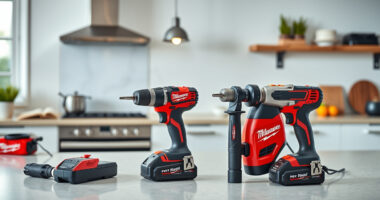
The Milwaukee M18 18V Cordless Power Tool Combo Kit is a versatile and comprehensive set, ideal for professionals and serious DIYers. It includes 8 tools, 3 batteries, and a rapid charger, making it suitable for various tasks from drilling to grinding.
Pros:
- Includes 8 essential tools
- 3 batteries for extended use
- Rapid charger minimizes downtime
- Compact storage in 2 tool bags
Cons:
- Heavy weight for prolonged use
- No dedicated battery level indicator on charger
Best for: Construction, remodeling, maintenance tasks
Not ideal for: Light-duty or occasional hobby use
Bottom line: A complete, durable kit perfect for demanding professional projects.
Milwaukee Shockwave 100pcs Impact Driver Bit Set Packout
The Milwaukee Shockwave Impact Driver Bit Set offers 100 impact-rated bits, packaged in a durable Packout case. It complements your Milwaukee tools perfectly and ensures you have the right bit for every job.
Pros:
- Wide variety of bits
- Impact-rated for durability
- Packout case for organization
- Compatible with Milwaukee impact drivers
Cons:
- Bits may wear out with heavy use
- Limited to impact driver applications
Best for: Professional contractors, DIY enthusiasts needing versatile bits
Not ideal for: Light-duty or occasional projects
Bottom line: A comprehensive set to keep your impact driver well-equipped.
Frequently Asked Questions
Why is my Milwaukee charger blinking red?
A blinking red light typically indicates a fault such as overheating, incompatible battery, or a connection issue. Check the battery, contacts, and ensure proper cooling.
How do I reset my Milwaukee charger?
Unplug the charger from power, remove any batteries, wait 10 seconds, then reconnect everything. Reinsert the battery and observe the indicator light.
Can I use third-party batteries with my Milwaukee charger?
Milwaukee chargers are designed for Milwaukee batteries. Using third-party or incompatible batteries may cause blinking lights or damage. Always use genuine Milwaukee batteries for safety and compatibility.
What should I do if cleaning contacts doesn’t fix the issue?
If cleaning contacts and resetting doesn’t work, consider replacing the battery or charger. Persistent issues may indicate internal damage or failure.
Keep Your Milwaukee Tools Running Smoothly
Addressing a blinking red light on your Milwaukee charger is often straightforward with proper inspection and troubleshooting. Regular maintenance, proper cooling, and using compatible batteries can prevent many issues. If problems persist, professional repair or replacement may be necessary to ensure safety and performance.
Affiliate disclosure: As an Amazon Associate we earn from qualifying purchases. Prices and availability are accurate as of the time of publishing.
Halloween Picks
halloween
As an affiliate, we earn on qualifying purchases.