
TL;DR

Get business pricing on garage and car supplies
- Business-only prices and quantity discounts
- Tax-exempt purchasing
- Multiple users, one account, clear invoices
The Drive writer Jerry Perez says the steering-wheel touch controls in a 2026 Lexus TX350 were so sensitive and hard to follow that he stopped using cruise control. His account is a journalist’s experience with one vehicle; Lexus has not provided a response in the supplied source material, and no design change is reported.
The Drive’s Jerry Perez says he struggled to use the steering-wheel touch controls in a 2026 Lexus TX350, describing unwanted menus and difficulty setting cruise control. His account raises questions about how the controls work in everyday driving, though it reflects one journalist’s experience and does not establish how other drivers will respond.
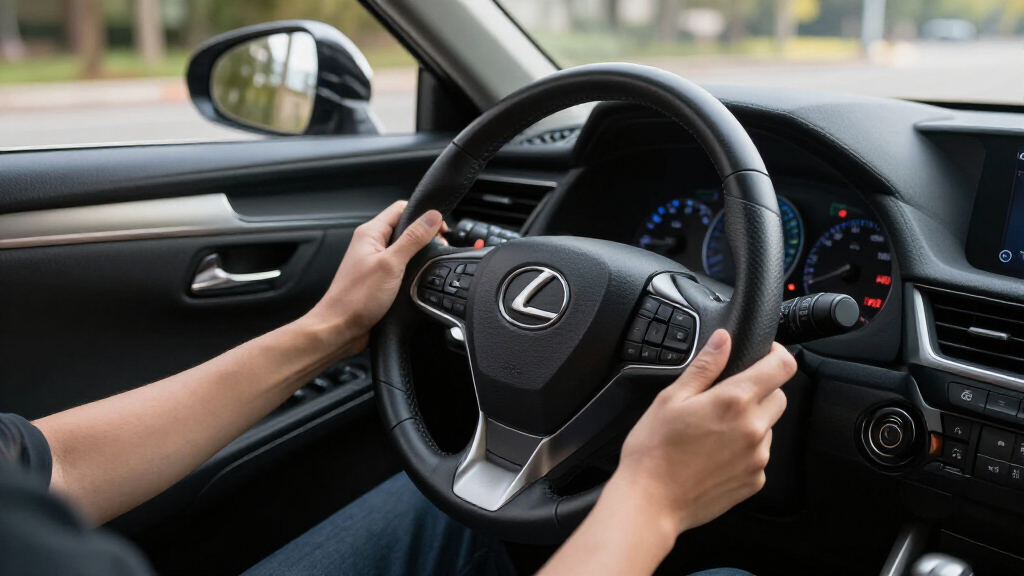
Perez describes Lexus’s system as “Touch Sensor” controls. In his account, each steering-wheel cluster has four buttons, with multiple functions assigned across them. He says the driver interacts with the pads through light pressure and finger swipes, while prompts appear in the instrument display and head-up display. The controls are meant to provide access to several functions through a smaller number of buttons.
The difficulty he reports is that a light brush can bring up a prompt, while moving a finger again can make it disappear. Perez says this happened as he turned the wheel to park or make a sharp turn, leaving him trying to read changing prompts. He also reports that the right-side pad controls cruise settings and that he stopped using cruise control on the highway because he found it difficult to set up while keeping his attention on the road.
Perez also describes the TX350’s cabin as quiet and its ride as refined. He discusses its turbocharged four-cylinder engine and eight-speed automatic. His criticism is focused on the steering-wheel interface, rather than a broad assessment that the SUV is poor overall. The source material does not include a Lexus response, independent testing of the controls, or reports from other owners.
When Wheel Controls Demand Attention
Steering-wheel controls are intended to let drivers make adjustments without reaching for a separate dashboard interface. Perez’s account describes difficulty operating the controls when prompts changed or gestures had to be repeated to identify a selected function. His report does not measure how much time drivers spent looking at the displays or compare the interface with other systems.
Perez says he avoided using cruise control in this vehicle because he found setup difficult. His report does not establish a safety defect or show that other drivers will have the same experience. It records his assessment of operating the controls during several days with one vehicle.
Products Worth Considering

Chemical Guys 17-Piece Car Detailing Kit for Interior, Wheels, and Exterior

Chemical Guys 10-Piece Car Wash Kit with Foam Gun

VIOFO A229 Pro 3-Channel 4K Dash Cam with STARVIS 2 Sensors
As an affiliate, we earn on qualifying purchases.
A Multi-Function Touch Interface
Perez notes that assigning several functions to fewer controls is not unusual in cars. He contrasts Lexus’s pads with a Land Rover Defender dial that, in his view, provides a clearer way to access additional functions. He also mentions Volkswagen window-switch selectors as a less successful example. These are his comparisons, not the results of a controlled comparison across vehicles.
The report says other publications have discussed Lexus’s touch-sensitive steering controls before, and mentions a prior article by The Drive’s Andrew Collins. The supplied source does not give the date or findings of that earlier coverage. Perez’s article is a first-person account based on several days with a TX350, rather than a formal usability study or a report of a manufacturer announcement.
““These touch sensors are extremely sensitive.””
— Jerry Perez, writing for The Drive
Questions Beyond One Test Drive
The source provides one driver’s account. It does not establish whether the touch sensitivity can be adjusted, whether settings or software updates change the interaction, or whether Lexus has received similar feedback from customers. It also does not include a response from Lexus or data comparing driver distraction across different steering-wheel interfaces.
How frequently the menus appeared, what road conditions affected them, and whether other TX350 drivers find the controls intuitive remain unclear. Perez’s conclusion that the system would not become easier for him with more time is his personal judgment, not a measured finding about all drivers.
What Buyers Can Check
No recall, product change, or Lexus response is described in the supplied report. The report does not provide information about testing the controls during a dealership visit or about guidance for prospective buyers. It says Perez experienced difficulty using the controls while driving.
If Lexus comments on the reported interface or announces a change, that would clarify whether the company views the issue as a matter of user preference, settings, or product design. For now, the report documents Perez’s experience with one 2026 TX350; broader driver feedback and any manufacturer response are not included.
Key Questions
What did The Drive report about the Lexus TX350?
Writer Jerry Perez said the steering-wheel touch controls in a 2026 TX350 were sensitive and difficult for him to use, particularly when setting cruise control.
How do the controls work, according to Perez?
Perez says the system uses four buttons on each steering-wheel side for multiple functions. Light pressure and finger swipes bring up prompts in the instrument display and head-up display.
Has Lexus announced a fix?
No fix or Lexus response appears in the supplied source material. It does not say whether settings or software updates affect the controls.
Does the report show that all drivers will struggle with the controls?
No. It is Perez’s account from several days with one vehicle. The source does not provide broader owner feedback or independent usability testing.
Source: rss